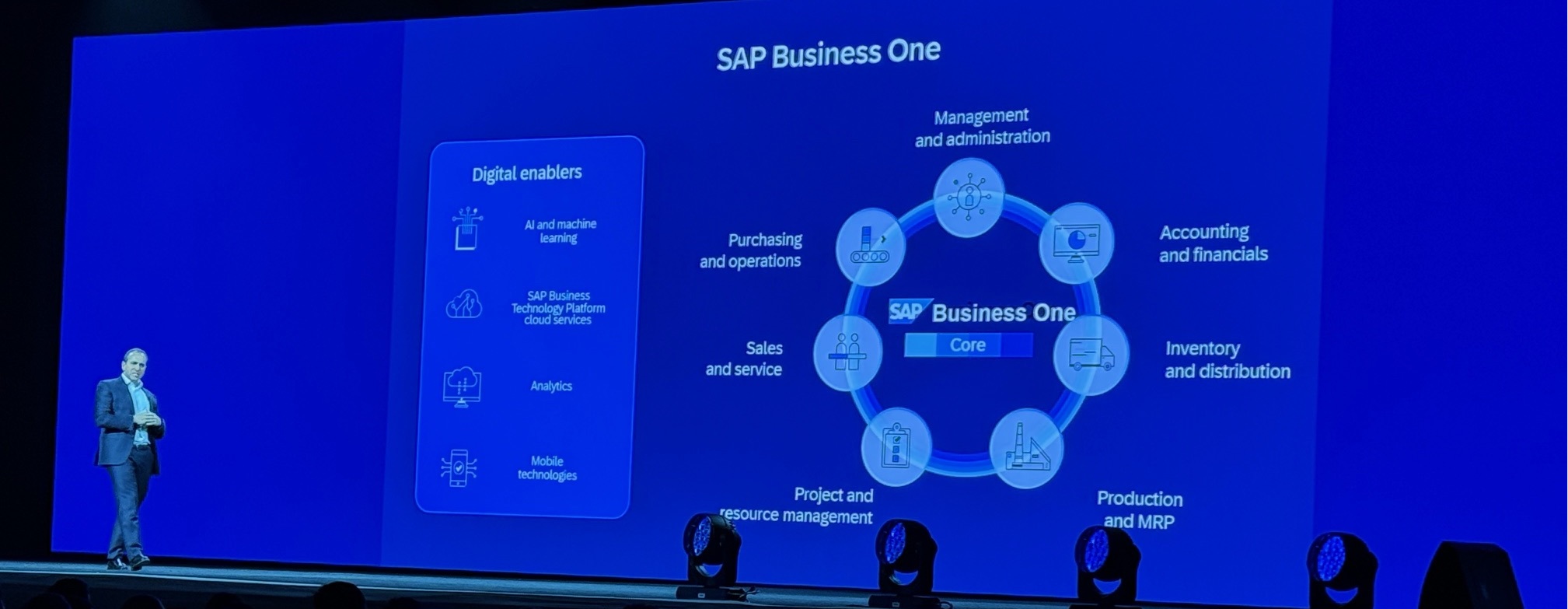

Creating an SAP B1 Help Chatbot is easy, powerful and and quick with Microsoft Copilot
Simplifying Support for Users
SAP Business One is a powerful system with tons of features and ultimate personalization capabilities. With power and flexibility come questions and creativity. Companies using SAP Business One and the Microsoft 365 suite, can create an SAP B1 Help Chatbot to simplify support for your users. This article walks you through the few steps needed to create a powerful SAP B1 Help Chatbot.
Prerequisites
Most businesses today use the Microsoft 365 productivity suite. Because Microsoft changes plan names, pricing and options frequently I can’t specify the specific plans required in a static post. However, you need a plan that includes Microsoft Teams. You also need to add a Microsoft Copilot license to perform the tasks shown in this article.
How to Build an SAP B1 Help Chatbot
Once licensed, head over the the Microsoft Copilot Studio. The Studio is a very intuitive environment for creating simple AI powered agents.
The Studio uses natural language to help you build agent. Simply type what you want the agent to do and you are off and running! Don’t worry too much about being perfect. You can always edit your parameters after you complete the “wizard.”
In this example, you can see my prompt. “I am looking to create an SAP Business One help chatbot that includes the best resources from SAP and the partner community.”

You are then asked to refine the instructions for the Agent. For my agent, I specified the chatbot include:
- Help setting up modules.
- Building queries and saving them to the query manager.
- Building user defined fields and user defined values.
- Help users execute transactions in the system with context specific guidance.
You can, and should, add prompts to ensure the accuracy and relevancy of your chatbot. For example:
- Ensure responses are clear, concise, and relevant to the user’s query.
- Prioritize providing accurate and up-to-date information from SAP and its partner community.
- Do not include any information about SAP S/4 for HANA, SAP RISE or SAP GROW
Knowledge Sources
By default, Microsoft Copilot uses the Chat GPT as the large language model for analyzing requests and interpreting them. Importantly, you set specific sources of knowledge for your Agent to use when generating help responses.

Options include public websites, SharePoint sites, OneDrive locations and a myriad of applications. Microsoft Dataverse allows you to store and manage data used by business applications. Dataverse is designed to work seamlessly with tools like Power Apps, Power Automate, and Power BI.
For our SAP B1 Help Chatbot, we only need a few SAP sites to get up and running. Because my installation includes the Boyum Usability Package, I added the Boyum help site. Add user manuals for your implementation to incorporate your customizations and personalizations. Simply store them in an accessible location for your organization and add them to your chatbot’s knowledge sources.
Test Your Agent
Microsoft provides the ability to test your agent throughout the development process. I asked a myriad of questions like:
- How can I cancel an invoice after a payment has already been applied?
- Is it possible to change the GL posting account based upon the salesperson?
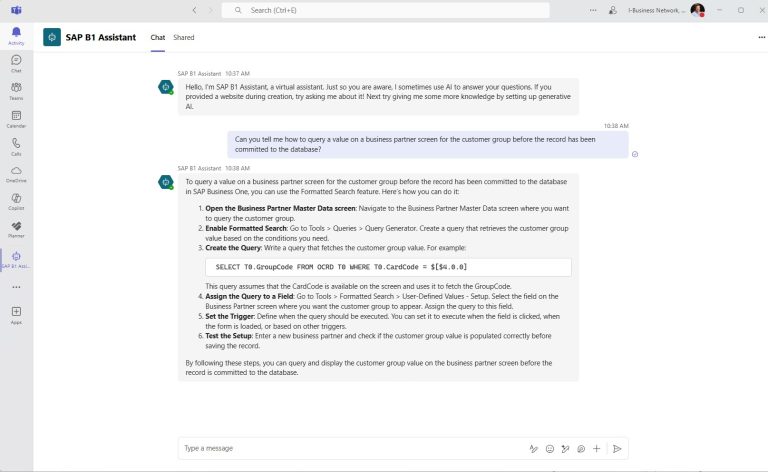
- Help query a value on a business partner screen for the customer group before the record has been committed to the database?
In each case it gave me the correct answer with plenty of detail. With enough time and effort, I was able to get answers which were not applicable to my setup. However, in my testing, errors were obvious because the setup was different than the chatbot anticipated.
Publish Chatbot
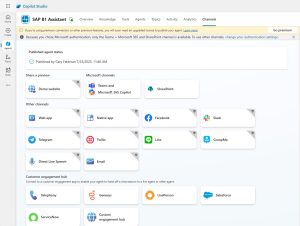
The Copilot Studio makes your chatbot available in a variety of ways. However, with a standard Microsoft Copilot license, you are limited to Teams and SharePoint. The publishing process is pretty straight forward. After initial publishing in Teams, check the options to ensure its available for users to add.
Below is an example of one of my test questions run inside the Teams app.
This example only scratches the surface of what you can do with the Microsoft Copilot Studio. Developers can add multi-agent workflows and have access to thousands of AI tools from GitHub.
Artificial Intelligence in SAP Business One
As of this blog post, we are still in the infancy of AI in ERP. All publishers, including SAP, are developing tools, designing safeguards and training partners on the use cases for artificial intelligence.
Starting your Artificial Intelligence Journey
There are so many use cases for artificial intelligence in business. Free generative AI can write marketing copy, optimize queries, research competitors, or find leads. With paid versions you get newer data and some extra features, like the Copilot Studio! The key is, now is the time to start, if you have not done so already.
I strongly believe that digital transformation is a journey that includes standard automations and future AI agents. The great news for companies using SAP Business One is that your digital platform is already in place. SAP B1 powered by SQL or HANA provide an extensible core ERP with security in mind.